Visual Ear Wax Cleaner with Camera Safe Earwax Removal Endoscope with 5M Camera Luminous Otoscope Ear Cleaning Tools Ear Care
Regular price $35.09 Sale price $25.99Visual Ear Wax Cleaner with Camera Safe Earwax Removal Endoscope with 5M Camera Luminous Otoscope Ear Cleaning Tools Ear Care

Warm Reminder
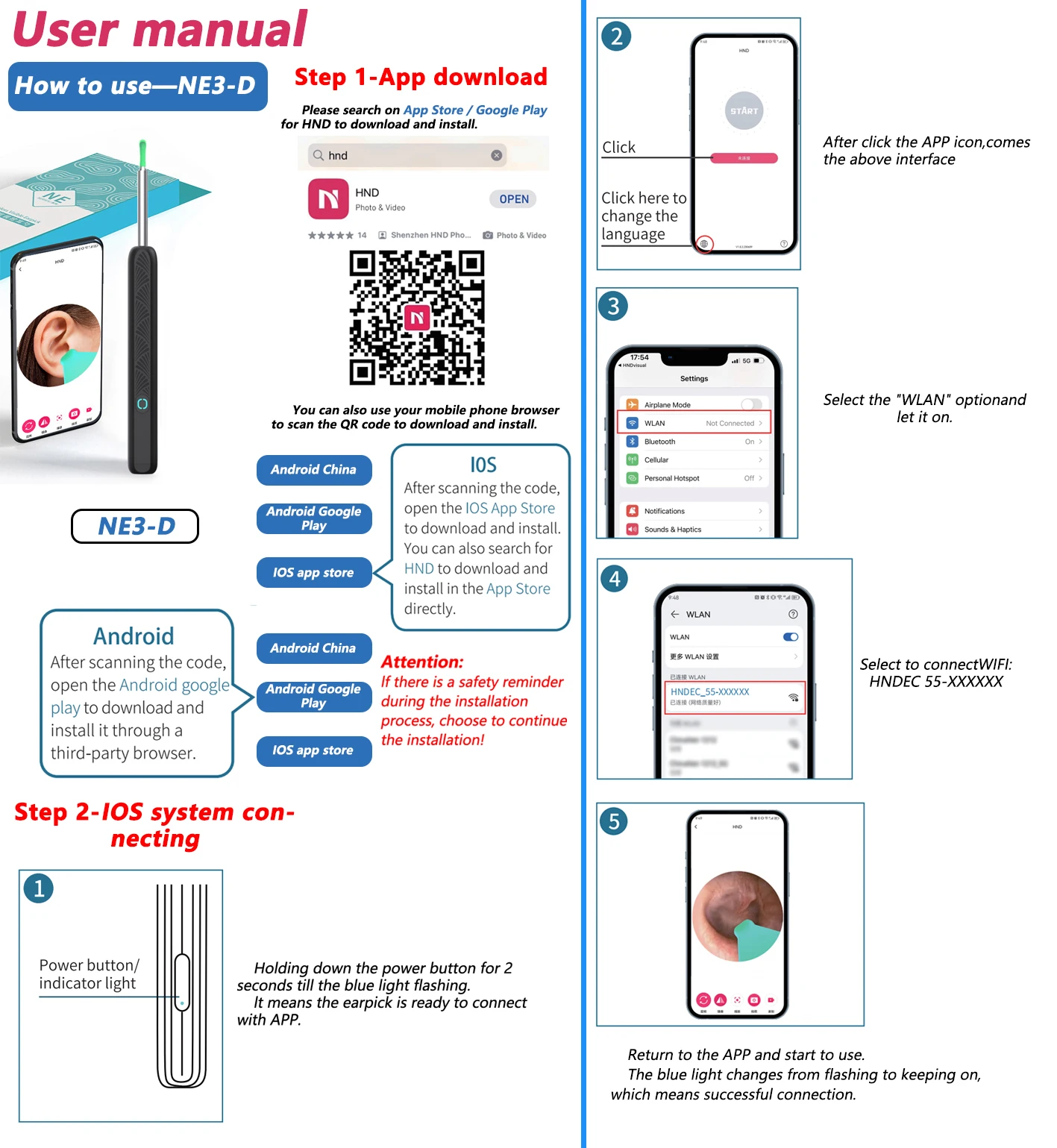
1. Image/Display Issues (No image, frozen screen, artifacts)
2. Power Issues (Won't turn on, LED flashing)
3. Connection Failure ("Unable to establish connection")
4. Indicator Light Status
5. Positioning for Clear View
6. Optimal Focus
7. Precautions
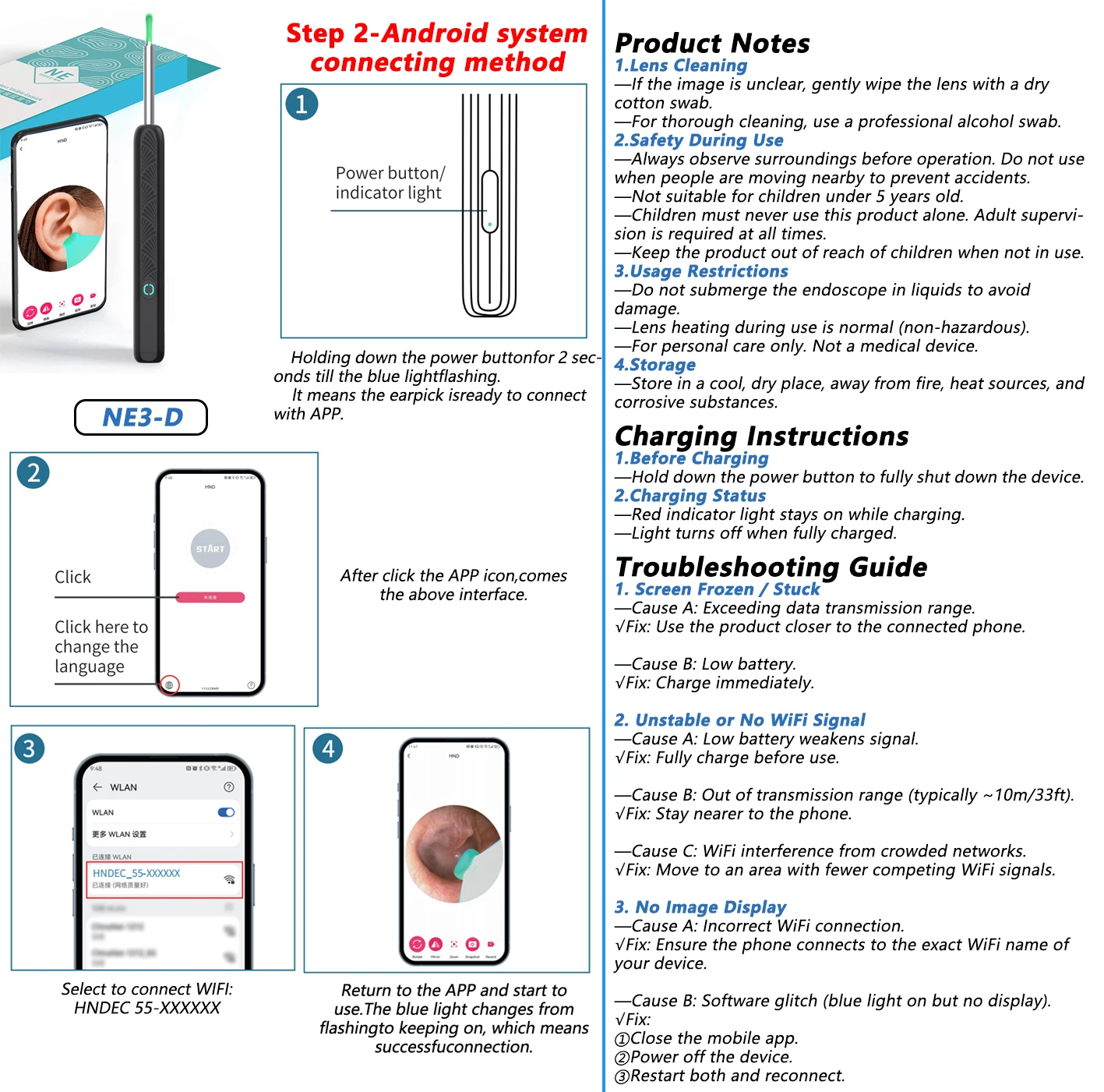
Product Notes
Lens Cleaning
Safety During Use
Usage Restrictions
Storage
Charging Instructions
Troubleshooting Guide
🔥 Features
1. 📸 Ultra-High-Definition Imaging
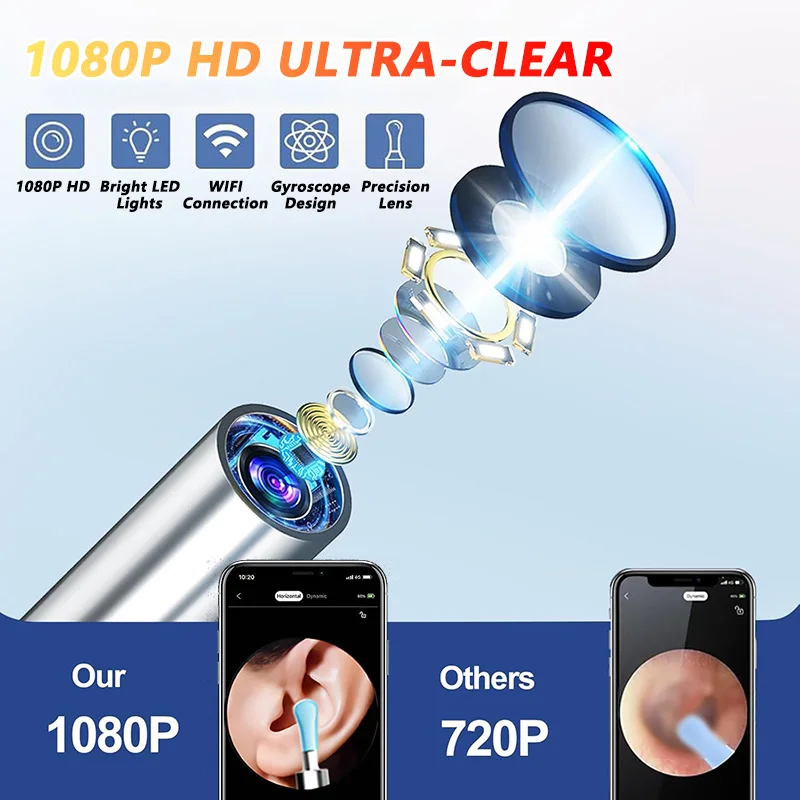
✅ Equipped with dual-resolution options (1080P HD cameras) and cold-light LEDs, the device offers a 360° wide-angle view for crystal-clear visualization of ear canals, nasal cavities, and oral areas.
2. 🌡️ Body-Safe Temperature Design
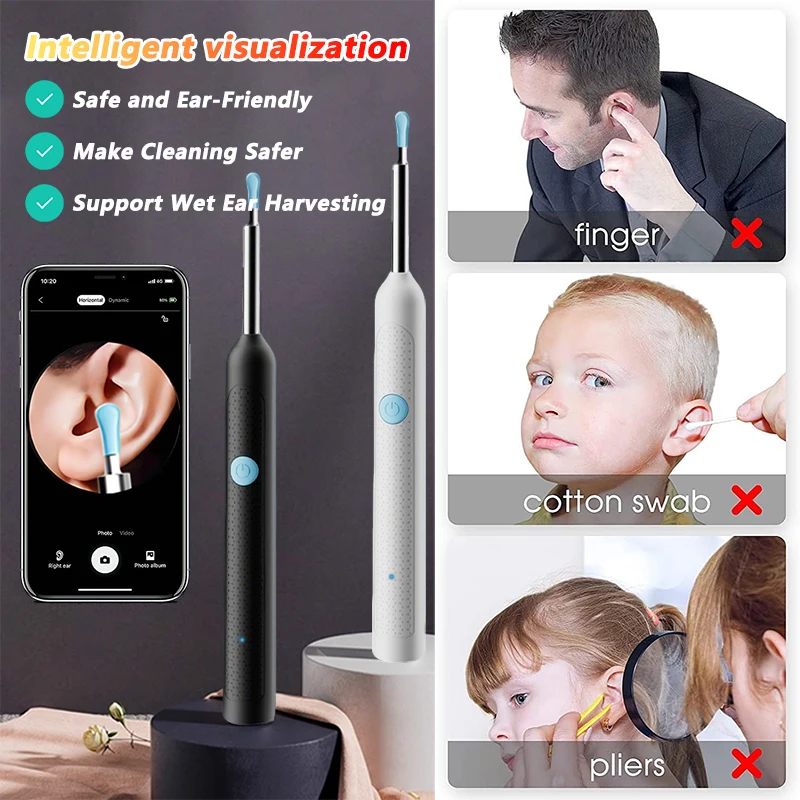
✅ The camera’s surface temperature mimics human body warmth, ensuring comfort during use for adults, children, and even pets.
3. 📱 Seamless Cross-Platform Compatibility
✅ Works effortlessly with iOS and Android devices via Wi-Fi connectivity. The intuitive app stores images/videos and allows easy transfer to phone album.
4 .IP67 Waterproof & Long-Lasting Battery
✅ Waterproof lens enables easy cleaning, and the 130mAh rechargeable battery lasts up to 30 days on a single charge (Type-C fast charging) .
5. 🎁 Comprehensive All-in-One Kit
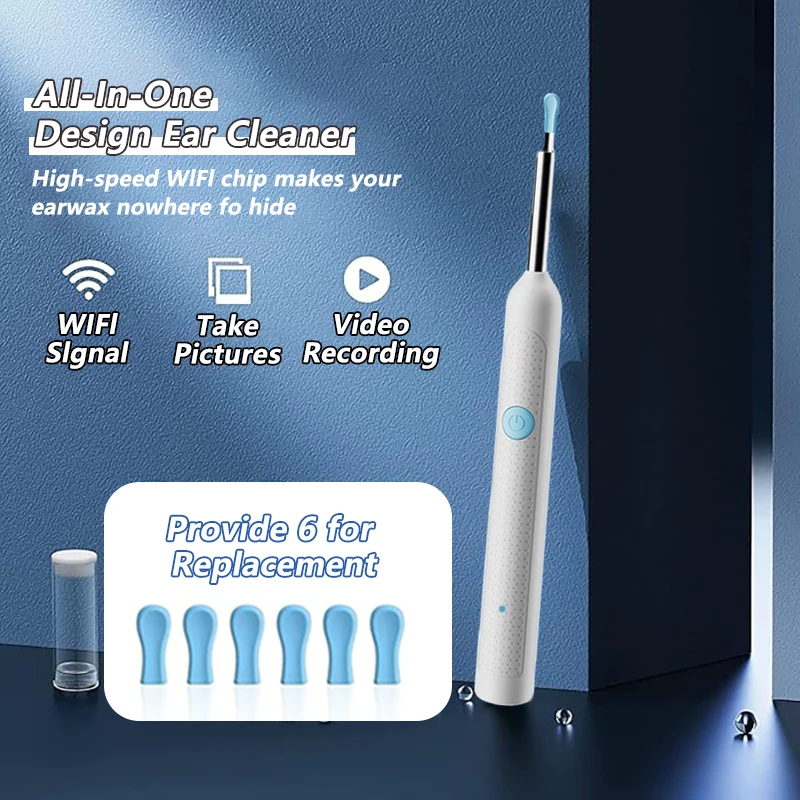
✅Earwax Removal Kit with camera and LED light*1, ear scoops*6, Daily ear care kits*8, earbud storage bottle*1, Charging Cable*1, Easy-to-follow instruction manual*1. You can use it at any time for convenient and efficient earwax removal.
⚙️ Material: Medical-grade silicone (ear scoops), ABS plastic (camera body)
✅ Suitable For: Adults, children, pets, healthcare professionals
🎯 Applications: Earwax removal, oral/nasal inspections, pre-doctoral examinations, acne/blackhead extraction
🔥 Product list
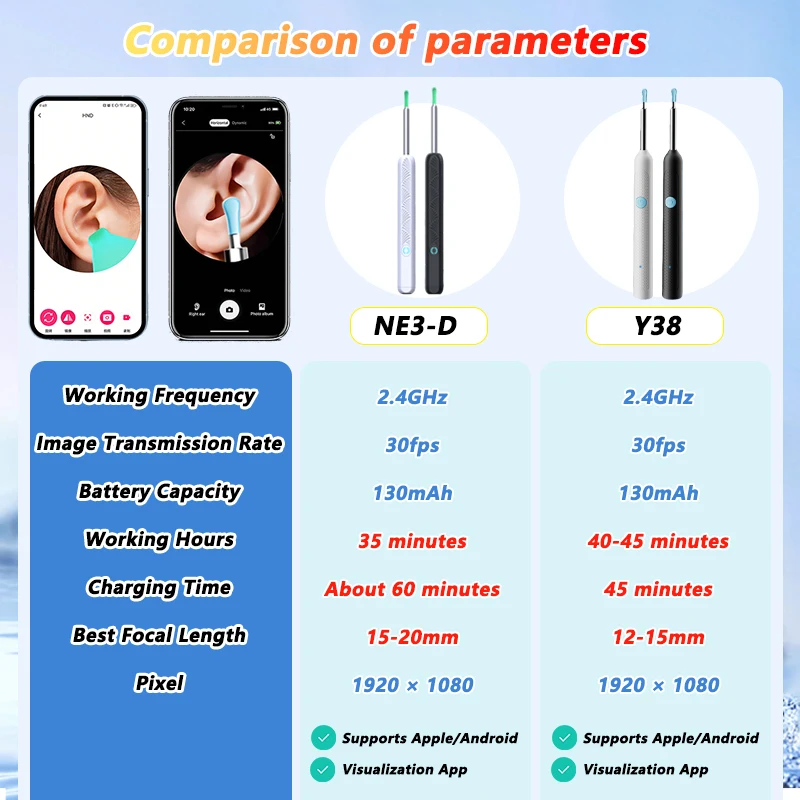
Option 2: NE3-D Basics Black/White ×1
Option 3: Y38 8Pcs Set Black/White ×1
Option 4: NE3-D 8Pcs Set Black/White ×1
❓ Why Choose Us?
🛡️ Tech-Driven Precision: Dual HD cameras + medical-grade safety.
⏱️ Effortless Convenience: 30-day battery, waterproof, and cross-device support.
🎯 Versatile Value: From ear care to skincare, one tool solves multiple needs.
🏥 Application Scenarios
Scenario 1: Family Ear Hygiene
👉 Pain Point: Traditional methods risk eardrum damage and lack visibility.
👉 Solution: Use the camera to safely guide earwax removal with real-time visuals.
✅Outcome: 90% reduction in accidental injuries; kids/pets cooperate better.
👉 Pain Point: Anxiety about unknown ear/nasal issues before clinic visits.
👉 Solution: Perform preliminary inspections at home, capture images for professional analysis.
Product Q&A Knowledge Base
Y38 Smart Otoscope
🛠 Troubleshooting
🔹 No image/frozen screen/artifacts?
"Ensure Wi-Fi is stable, then restart the device and app."
🔹 Device won’t turn on + LED flashing?
"Battery critically low! Charge immediately with the included 5V charger."
🔹 Can’t establish connection?
"Device may be paired elsewhere. Power off, reboot, and reconnect."
💡 Indicator Lights
🔵 Blinking blue at startup?
"Searching for Wi-Fi network. Solid blue = connected."
🔴 Rapid red flashing (2Hz)?
"Battery below 10%! Charge ASAP."
🔋 Charging status?
"Red light = charging. Off = fully charged (100%)."
📸 Usage Guidance
👂 Clear eardrum view?
"Gently rotate and adjust angle until membrane is visible."
🎯 Optimal focus distance?
"Keep 15-20mm from eardrum. Use focus ring if available."
⚠️ Safety Precautions
🚫 Crowded areas?
"No. Sudden movements risk injury—use in stable environments."
👶 Children under 15?
"Adults must operate. No independent use."
🌊 Waterproof?
"IPX4 splash-resistant only. Never submerge!"
NE3-D Digital Endoscope
🧼 Maintenance
🧽 Blurry lens?
"1. Microfiber cloth → 2. 70% alcohol swab (gentle circles)."
⚠️ Safety Precautions
🧒 Minimum age?
"Under 5: Not suitable. 5-12: Adult supervision required."
💧 Underwater use?
"Absolutely not! Water = instant damage."
🔥 Lens heating?
"Normal (40-45°C with prolonged use). Safety compliant."
🔋 Charging Process
⚡ Prepare to charge?
"Hold power 3 sec (lights off) → plug in USB-C."
🔴 Charging status?
Solid red = 0-80%
Blinking red = 80-99%
Off = 100%
🛠 Troubleshooting
❄️ Screen freezes?
Stay within 3m of phone
Charge if battery <20%
Close other camera apps
📶 Wi-Fi drops?
Charge to 50%+ before use
Avoid microwaves/Bluetooth
Change Wi-Fi channel in app
🖥️ No image display?
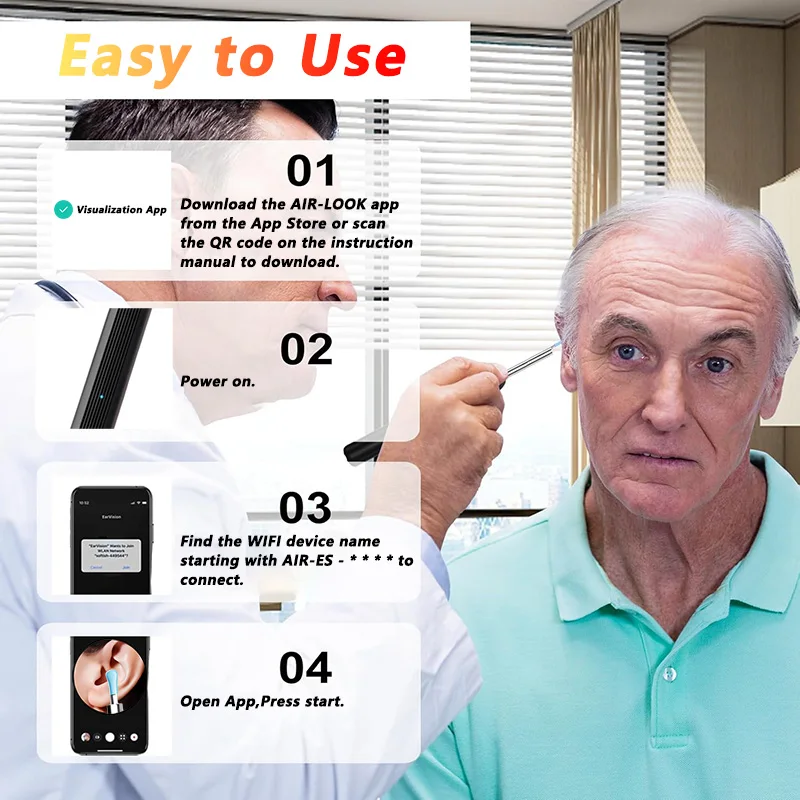
Confirm connection to "NE3D-XXXX"
Force-stop and reopen app
Check camera permissions